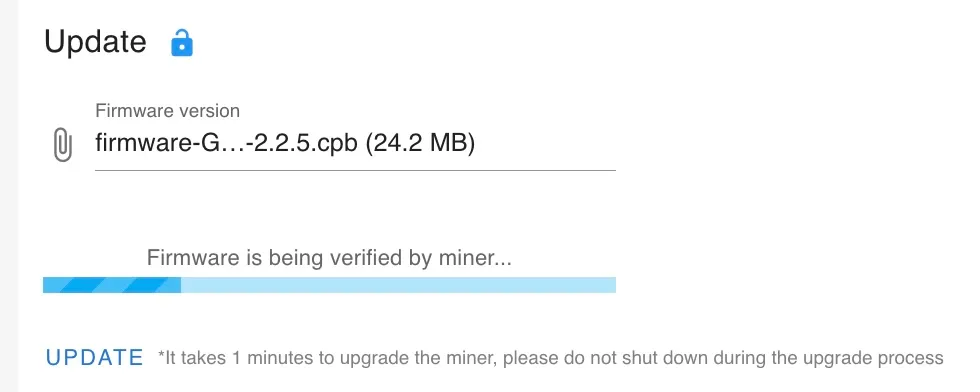
Eighty seconds of this, then the box came back on 2.2.5 with its pool config intact.
Our SC Box ran the firmware it came with, 2.2.1, at 83 to 84 °C. On September 4 we flashed it to 2.2.5, the last build Goldshell shipped for this model, and it now holds 75 °C at the same hashrate and the same fan speed. This is the procedure, the trap in it, and the numbers from our own box.
Along the way we found that the box’s web API accepts commands with no password. That is its own post, reported to Goldshell before either was published.
Why bother
On 2.2.1 the temperature target is fixed at 85 °C, so the box settles a degree or two under it. 2.2.5 makes the target adjustable, from 65 to 75 °C. Set it and the box runs cooler at the same hashrate. Nothing about mining changes.
That last claim is checkable. Goldshell publishes no changelog, so we read the two firmware images against each other. Both carry the same miner binary and present the same stratum identity, so a DATUM gateway sees an identical client before and after. The changes are the adjustable target, a rewritten fan controller in its own process, and an “Idle Mode” power level that parks the chip at 0 MHz.
Where the firmware is
Goldshell’s own upgrade guide points at a GitHub repository, which matters because goldshell.com returns 403 to command-line downloads and GitHub does not.
Repo:  github.com/goldshellminer/firmware
Path: Siacoin-Miner/Goldshell-SCBox/| File | Size | SHA-256 |
|---|---|---|
| firmware-Goldshell-SCBox-2.2.5.cpb | 24,162,816 | 37a6f67d26ee76313579385ab8cac44d17724ef55b71ff54c3bb70f6b9ebc292 |
| firmware-Goldshell-SCBox-2.2.1.cpb | 24,134,144 | 8b772b750b8b2437388ec0e1d6eaa1b4917bf5f8f1a64199265d3d3171bf7ef9 |
2.2.5 was added in January 2024 and has not moved since. Keep the 2.2.1 file as your rollback. Check the hash before flashing:
shasum -a 256 firmware-Goldshell-SCBox-2.2.5.cpbBefore you flash
A power blink during the write bricks the box. That is the one risk in this procedure and it is not theoretical. Our power blinked a few minutes before we flashed; the box was already on the battery side of a CyberPower UPS, so it rode through and the flash went ahead. On a surge-only outlet, that blink during the write would have left us with a paperweight. Firmware you flash is your decision and your box; read this, read Goldshell’s own guide, and decide for yourself. We are one owner describing one flash, not a support line.
- Put the box on UPS battery for the write. If it sits on a surge-only outlet, move it to a battery-backed one before you start. The box draws about 210 W, which a small UPS carries. We left ours on the battery side afterwards; the blinks here are not rare, and a miner that reboots on every one loses shares and, once, a flash.
- Record a baseline so you can tell afterward whether anything changed. The box answers these over plain HTTP with no login:
curl http://<box-ip>/mcb/status
curl http://<box-ip>/mcb/setting
curl "http://<box-ip>/mcb/cgminer?cgminercmd=devs"
Ours read about 940 GH/s, 83 to 84 °C, fans near 1,980 rpm, 700 shares accepted and 0 rejected over 14 hours.
The flash
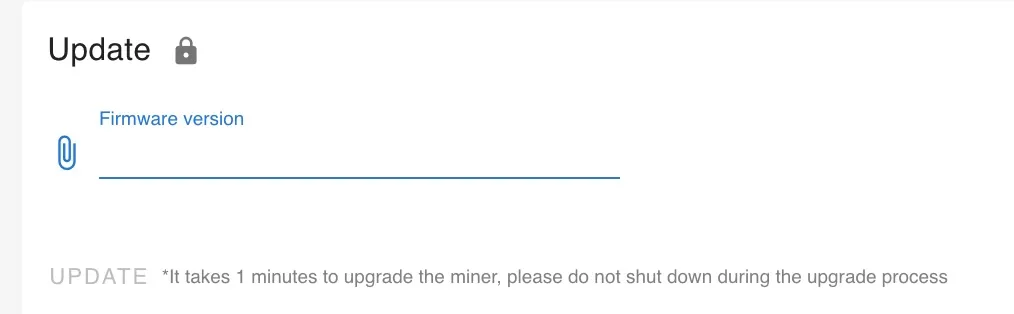
- Log in to the box’s web UI and open the System page. The Update panel’s padlock must show unlocked; a locked panel takes no file.
- In Update, click the paperclip and pick the 2.2.5
.cpb. The UPDATE button goes from grey to blue once a file is chosen.
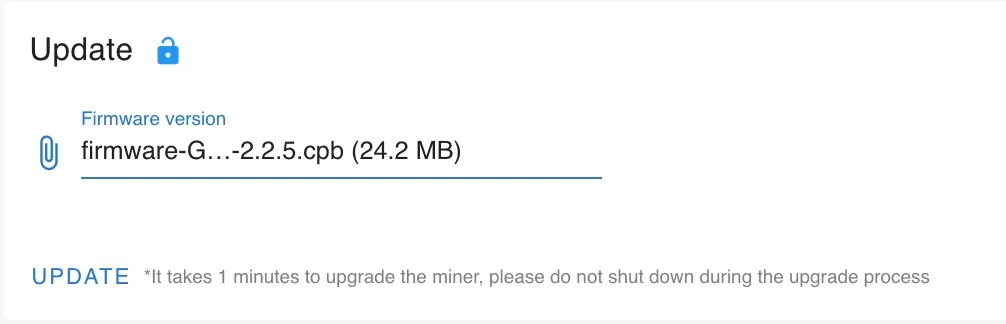
- Click UPDATE. The panel shows uploading, then “Firmware is being verified by miner,” then updating; the page stops responding and the box reboots itself.
- Leave the power alone until it comes back. The UI says one minute. Ours was unreachable for about 80 seconds and answered on 2.2.5 after that.
The trap: the default target is the loud one
2.2.5 boots with the temperature target at 65 °C, the bottom of its range, and at 65 the fans work hard. So “2.2.5 runs cooler and quieter” is half true out of the box: cooler, yes, and louder.
Raise the target. On the Miner page, leave the temperature-control toggle on, drag the slider to 75 (its maximum), apply, and give it twenty to thirty minutes. The fans walk down as the box warms to target. A reading taken while it is still climbing will mislead you.
Two ranges, no overlap: 2.2.1 allows 85 to 95 °C, 2.2.5 allows 65 to 75. If your box lives where it has to be quiet, 2.2.1’s 85 °C setting is not available on the new firmware; the ceiling is 75. Ours is in a living room and 75 is fine.
Smaller gotchas, in the order they cost us time:
- Hard-reload the browser after the flash. Every JavaScript filename changes between versions, and a tab still holding the old page half-works: side tabs highlight but do not navigate. Cmd/Ctrl+Shift+R and log in again.
- RESET TO DEFAULT sits directly below UPDATE on the System page. Two panels, one of which wipes your config. Watch where a scroll leaves the cursor.
- The pool config survives. URL, worker and password came back intact.
- There is no “Automatic Update” switch to find. The string exists in the firmware but is wired to no screen on this model.
- The temperature readout changed from two numbers (chip and PCB) to one, so part of any “temperature drop” you read is the number meaning something different. The 8 °C below is the chip reading on both.
The numbers
Warming from the cold reboot to steady state, target at 75:
| Time (UTC) | Hashrate GH/s | Temp °C | Fans rpm | Accepted | Rejected | HW errors |
|---|---|---|---|---|---|---|
| 11:35 | 686 | 53.8 | 3,720 | 0 | 0 | 0 |
| 11:39 | 964 | 58.2 | 2,940 | 6 | 0 | 0 |
| 11:43 | 950 | 63.6 | 2,400 | 11 | 0 | 0 |
| 11:47 | 1,000 | 65.8 | 2,400 | 15 | 0 | 0 |
| 11:51 | 907 | 67.2 | 2,160 | 17 | 0 | 0 |
| 11:53 | 930 | 70.0 | 2,040 | 21 | 0 | 0 |
| 11:55 | 986 | 73.1 | 1,920 | 21 | 0 | 0 |
| 11:57 | 885 | 75.9 | 1,860 | 21 | 0 | 0 |
| 12:03 | 940 | 75.7 | 2,040 | 25 | 0 | 0 |
| 12:05 | 871 | 74.7 | 1,980 | 27 | 0 | 0 |
Three and a half hours in, read off the box at 15:04 UTC: 75.8 °C, fans 1,980 and 1,920 rpm, 927 GH/s average, 165 shares accepted, 0 rejected, 0 hardware errors. Side by side with the 2.2.1 baseline:
| 2.2.1, target 85 | 2.2.5, target 75 | |
|---|---|---|
| Chip temperature | 83 to 84 °C | 75 to 76 °C |
| Fans | about 1,980 rpm | 1,920 to 1,980 rpm |
| Hashrate, average | about 940 GH/s | about 930 GH/s |
| Rejected / HW errors | 0 / 0 over 14 h | 0 / 0 over 3.5 h |
Eight degrees cooler at the same hashrate and the same fan speed. The fan number is the surprise: not quieter, the same, and the cooling comes from the target and the controller, not from the fans working harder.
Hardware errors are the number to watch. Owners in the Knots Discord report that these chips run best hot: one has a board at 82 to 86 °C with 66 hardware errors and a board at 76 to 78 °C with 35,000, and another saw 9% hardware errors on an SC Box right after moving to 2.2.5, which a different PSU cable (12.2 V at the box instead of 11.9) brought down to 7%. At 75 ours stayed at zero on the Corsair. We did not try lower, and if yours shows errors after the flash, check the supply voltage before blaming the firmware.
Two more from the field, for the HS Box and HS5 owners reading this: the GitHub 2.2.5 through the web UI is the one you want, not the SD-card image, which is a different build and depends on whether the board is flash or eMMC; and on an HS5 the paperclip upload has been seen to hang. Our SC Box did neither.
Turn the WiFi radio off
The box broadcasts its own open access point by default, an SSID like Goldshell-xxxx with no password. On a wired box it does nothing for you and puts the box in reach of anyone in radio range.
The WLAN toggle in System > WiFi settings is greyed out on a wired box: the firmware only enables it when the box is joined to a WiFi network as a client. The radio can still be turned off through the box’s API, which takes the command without a password:
curl -X PUT -H "Content-Type: application/json" \
     -d '{"enable":false}' http://<box-ip>/mcb/wifisetting
Confirm with curl http://<box-ip>/mcb/wifisetting, which should show "enable": false, and the Goldshell-xxxx network disappears from a phone’s WiFi list. The box stays reachable on ethernet. Whether the setting survives a factory reset we did not test.
That the command works with no password is the finding in the companion post.
Rollback
Flash the 2.2.1 file the same way through the Update panel. The 2.2.5 image carries no downgrade guard and owners run older builds by choice, so a downgrade is expected to work. We have not needed it.
What we did not do
We ran this once, on one box, an SC Box on control board MCB_V5_4. The same firmware family ships on Goldshell’s other BOX models with their own version numbers (the HS Box is on 2.2.6), and none of this was tried on them. If you run it and something differs, say so on X or in the Knots Discord and this post gets a dated correction.
Saved you an hour? Tip the node and the clankers.